


FilesCEO lists many useful utilities, and one standout is the AdGuard Content Blocker app for Android. This tool focuses on improving your browsing experience by reducing unwanted ads and trackers in compatible browsers on your phone, helping you surf more smoothly and safely.
About AdGuard
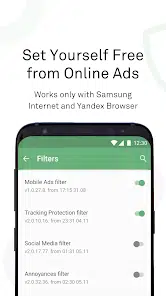
AdGuard Content Blocker falls into the “Browser & Privacy” category. It’s designed primarily for browsers like Samsung Internet and Yandex Browser on Android devices. Instead of full system‑wide ad blocking, it works within browsers to remove banners, pop‑ups, and hide tracking elements, giving you a cleaner interface and faster load times. It’s easy to install and doesn’t require root access, which makes it suitable for most users who simply want a better web experience on mobile.
Key Features of AdGuard
• Blocks banners, pop‑ups and intrusive ads in supported browsers
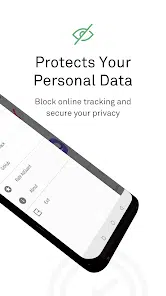
• Reduces tracking by analytics and advertising services
• Helps pages load faster thanks to fewer ad elements
• Doesn’t require root permissions — easy install
• Ideal for users who mainly browse via mobile browsers
FAQs about AdGuard
The app works with certain browsers that support content‑blocking extensions or APIs, such as Samsung Internet and Yandex Browser.
No, this version focuses on browser ad‑blocking rather than system‑wide ads in all apps.
Not at all. It’s designed for anyone who browses on mobile and wants fewer ads and better privacy without technical setup.